
How to Create a Study Plan in Chesspertise
Blog post description.
12/21/20253 min read
Why a Planner Is Essential for Steady Improvement
Chess improvement is not about studying more—it is about studying consistently and with direction.
A planner helps you:
Stay consistent over weeks and months
Avoid over-focusing on one area (for example, only tactics)
Turn long-term ambitions into daily actions
Identify why progress slows down when it happens
Without a planner, it is easy to believe you are working hard while skipping key areas or training irregularly. With a planner, your improvement becomes measurable and controllable.
Once this foundation is in place, you can move to the practical steps below and create a study plan that you can actually follow.
Step 1: Open the Study Planner
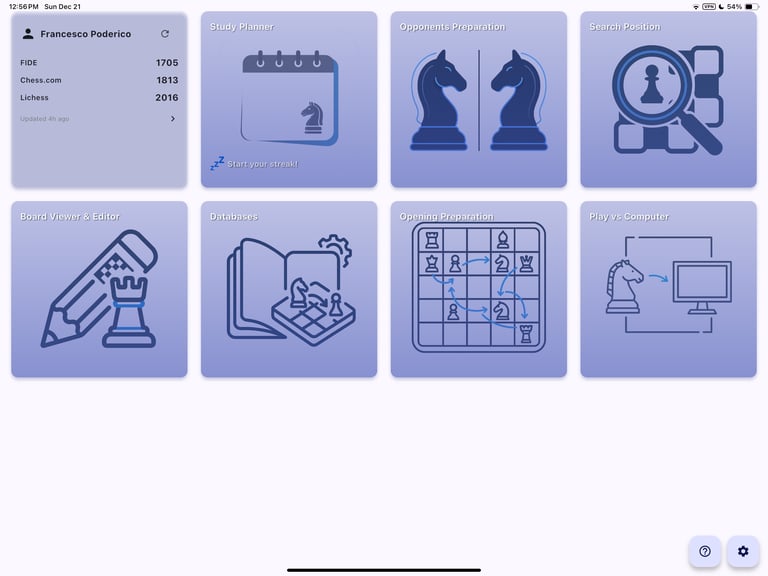
From the Chesspertise homepage, click on the Study Planner card.
Many players study chess in an unstructured way: a bit of tactics one day, an opening video the next, and long breaks in between. While this feels productive, it rarely leads to steady improvement. The Study Planner is designed to solve this problem.
What Is a Study Planner?
A study planner is a tool that helps you:
Define clear goals
Break those goals into concrete tasks
Schedule those tasks over time
Track what you actually complete
Instead of guessing whether you are improving, you can see your training history and understand how your effort is distributed between tactics, openings, endgames, and other areas.
Step 2: Understand the Planner Views
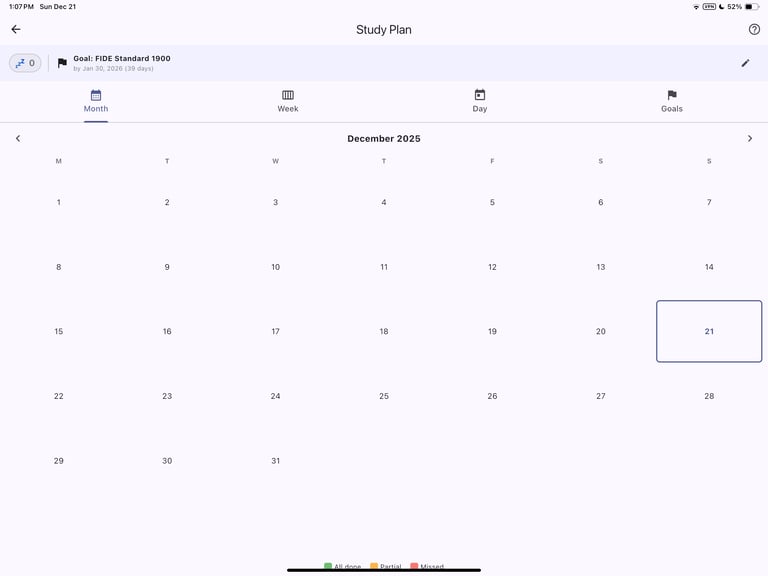
The Study Planner offers three different views:
Monthly view – useful for long-term planning
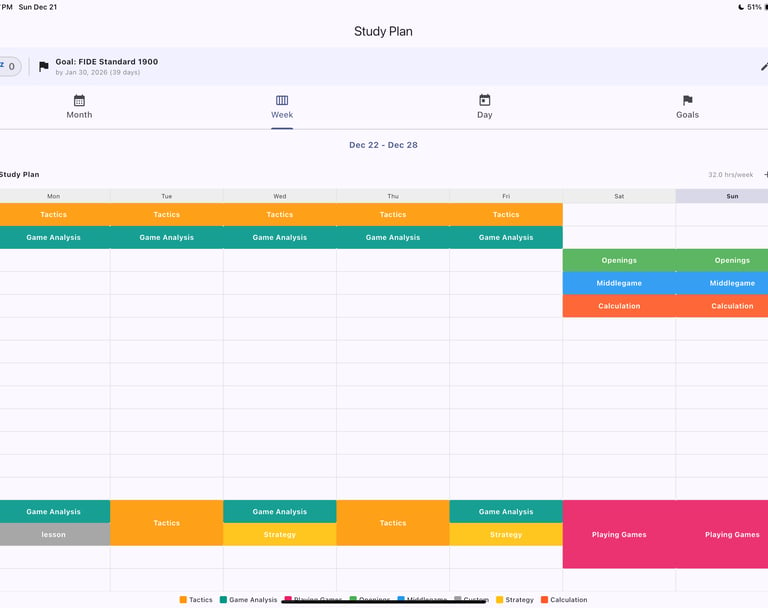
Weekly view – ideal for organizing your training routine
Daily view – focused on the tasks you need to complete today
These views allow you to track your improvement activities at different levels of detail.
Step 3: Create a Goal
Before you can add any tasks, you must create a goal.
A goal is something meaningful to you that must be achieved by a specific date. Examples:
Reach 2000+ rating by September 2026
Complete 100 essential endgames by January 2026
Finish a full opening repertoire within six months
Goals give structure and purpose to your study plan.
Step 4: Add Tasks to Achieve Your Goal
Once a goal is set, you can start adding tasks.
Switch to the Weekly view
Select a future day (the planner does not allow editing past days)
For example, if today is Wednesday, you cannot add a task for Tuesday
Use the › icon to move to the next week if needed
Click on a day to open the task window
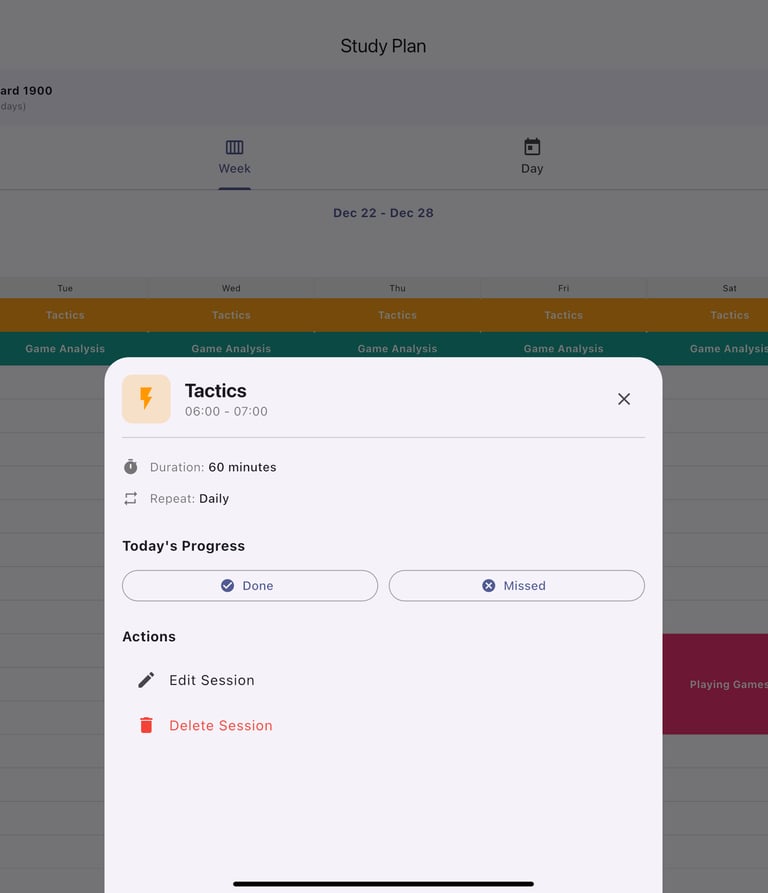
You will be asked to:
Choose the activity type (tactics, openings, endgames, etc.)
Set the repeat frequency:
Never
Daily
Weekdays
Weekends
Custom
Step 5: Enable Notifications
When prompted, enable notifications.
Chesspertise will send you a reminder 5 minutes before each scheduled task, helping you stay consistent and avoid missed sessions.
Step 6: Review Your Weekly Plan
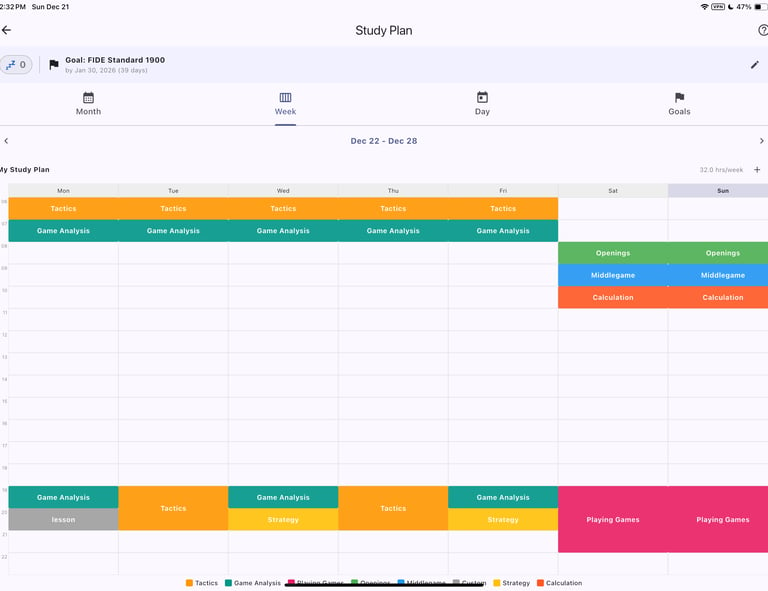
At the end of the setup, your weekly plan should clearly show:
What you study
When you study
How often each activity repeats
This makes your training routine explicit and measurable.
Step 7: Track Completion
Each time you complete a task:
Return to the Study Planner
Mark the task as completed or missed
This tracking is essential.
Why This Matters
The goal of the Study Planner is not just scheduling—it is accountability.
By tracking completed and missed tasks, you can:
Identify the real reasons behind chess stagnation
See whether the issue is time, consistency, or content
Adjust your plan based on real data
With consistent tracking and structured goals, Chesspertise helps turn hard work into measurable improvement.
Contact
info@chesspertise.app
© 2025. All rights reserved.
Chesspertise
Legal
Chesspertise
About