
The Chess Editor
Edit Games, Annotate Ideas, and Create Real Chess Books
Most PGN editors are powerful, but frustrating to use.
Annotating a game often feels slow, unintuitive, and disconnected from the way chess players actually study. Creating a readable chess book usually requires exporting files, external software, and a lot of manual work.
The Chesspertise Chess Editor was designed to fix this.
From Database Search to Deep Study
Let’s look at a real example.
Imagine you want to study the style of Akiba Rubinstein, focusing on the games where he played the Qc2 line against Teichmann.
With Chesspertise, the workflow is simple and fast.
From the Search page, load your Rubinstein database
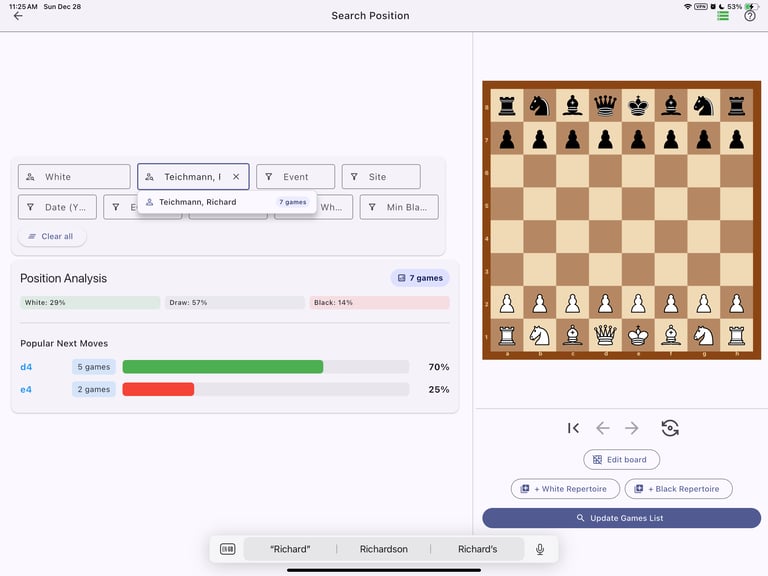
(for example, a free PGN downloaded from the PGN Mentor website)Start typing “Te…”
Chesspertise automatically suggests matching playersSelect Teichmann
Click Update Game List
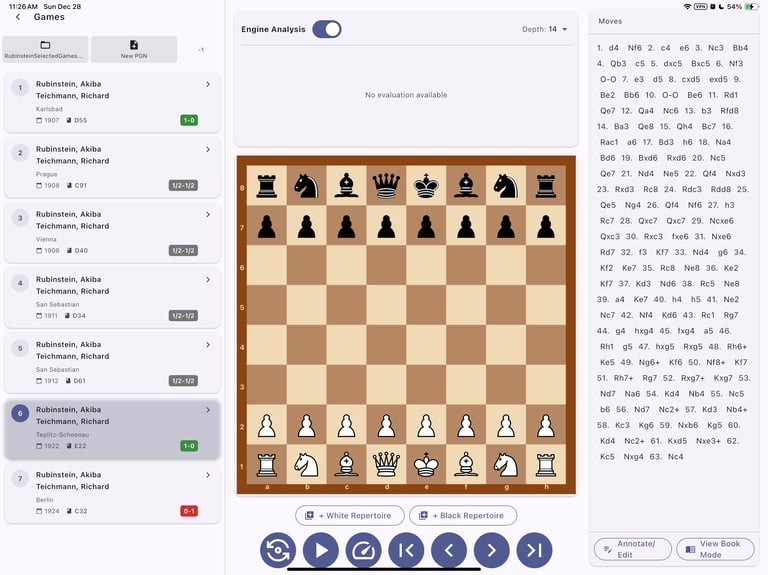
Within seconds, you have a filtered list of relevant games.
Start Annotating in One Click
From the Games page:
Select the game you want to study
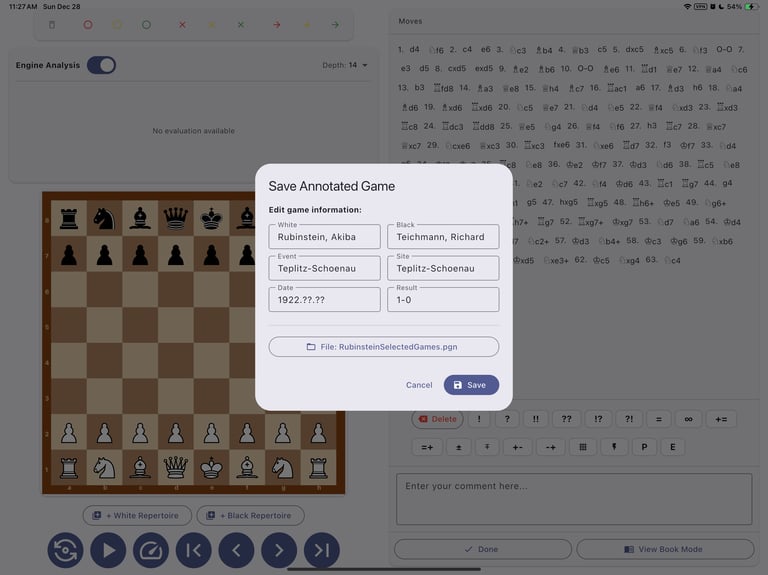
Click Annotate / Edit
Chesspertise asks you where to save the game in PGN format.
Once saved, you can immediately start annotating.
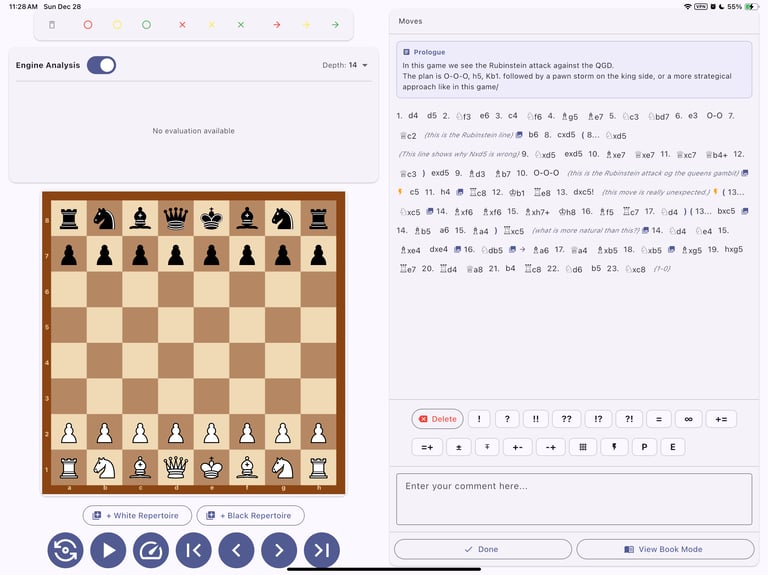
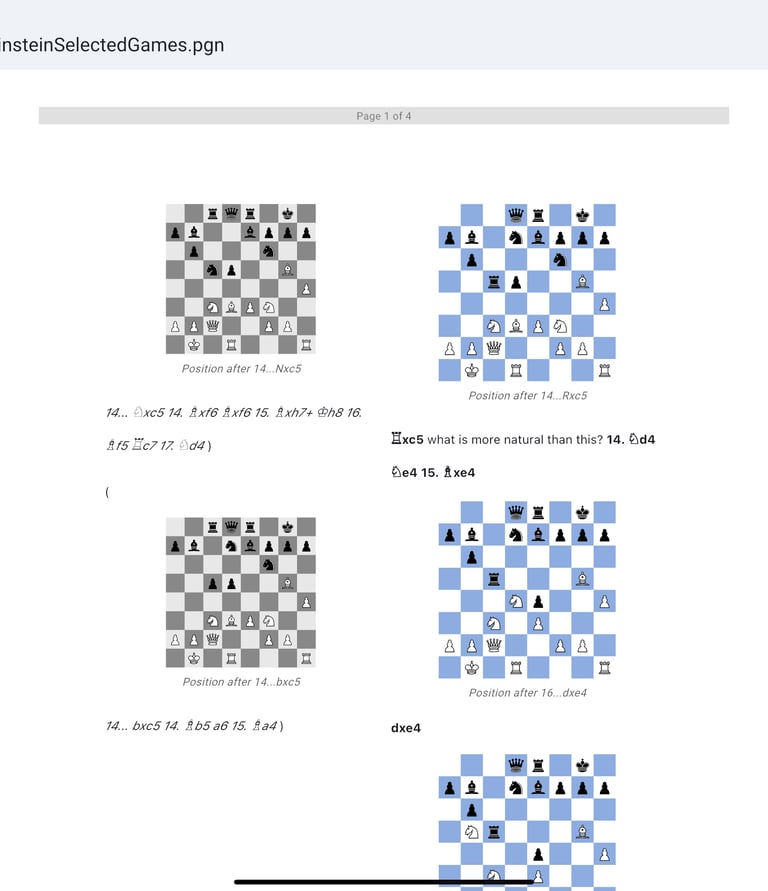
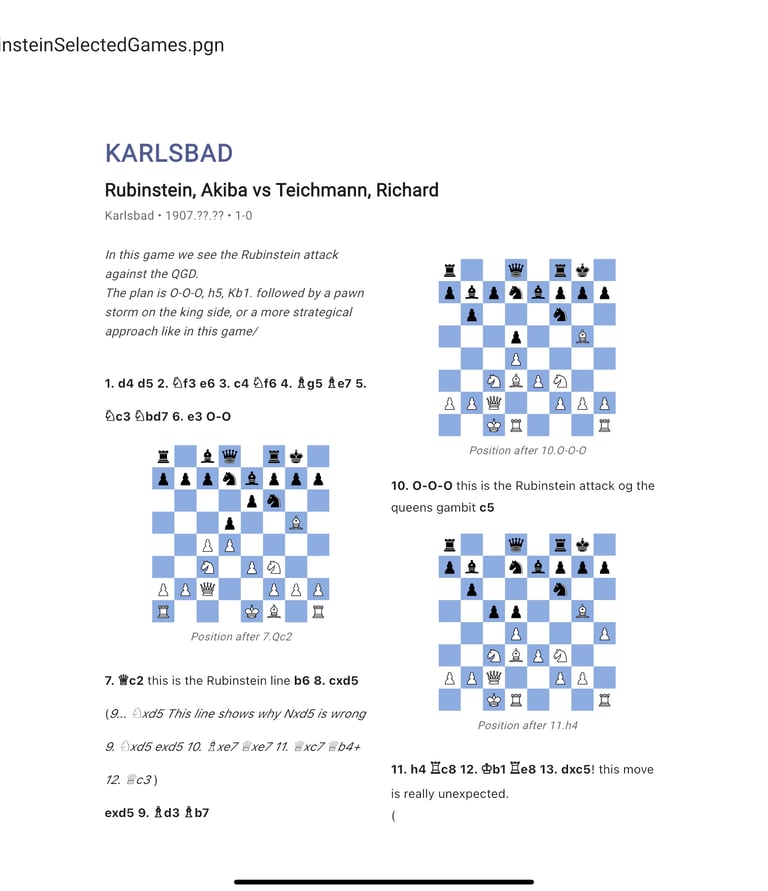
Edit the game by adding Diagrams, Flashcard drawings
Never been so easyt to comment a game a build your own book
Enjoy your book
You can now print your book! write your notes, etc.
Contact
info@chesspertise.app
© 2025. All rights reserved.
Chesspertise
Legal
Chesspertise
About