
How to create a new database
12/26/20252 min read
How to Create a New Chess Database from a PGN File
In this post, I will show you how to create a new chess database in Chesspertise, starting from a PGN file.
Before going through the step-by-step process, it is important to understand what a chess database is and why a PGN file needs to be converted.
From PGN File to Chess Database: The Logical Steps
A PGN file is a text file that contains one or more chess games written in a standardized format.
PGN is excellent for:
editing games
sharing games
manual analysis
However, PGN is not efficient for:
storing very large numbers of games
fast searches
advanced filtering and statistics
For this reason, Chesspertise converts PGN files into its own database format called NCD (Chesspertise Database).
What Is an NCD Database?
Without going into technical details:
games are stored in an optimized digital format
positions, players, openings, and metadata are indexed
searches become extremely fast, even with very large databases
This conversion step is essential for serious study and training.
How to Import a PGN Database in Chesspertise
Follow these steps to create your new database:
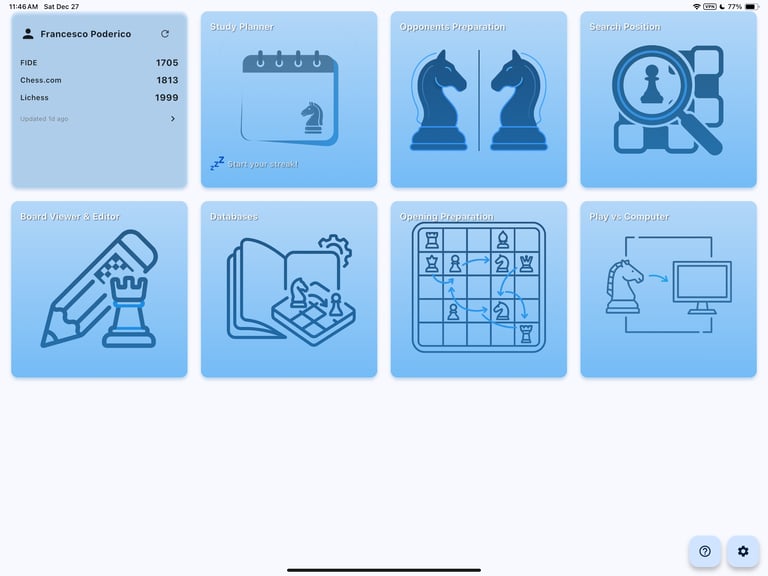
From the Chesspertise home page, click on the Databases card
Click Import PGN
Select a PGN file (for example: Rubinstein.pgn)
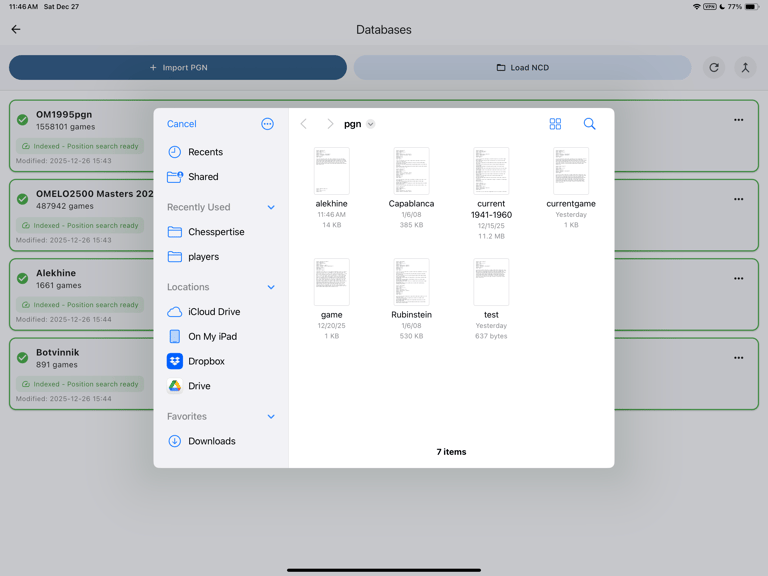
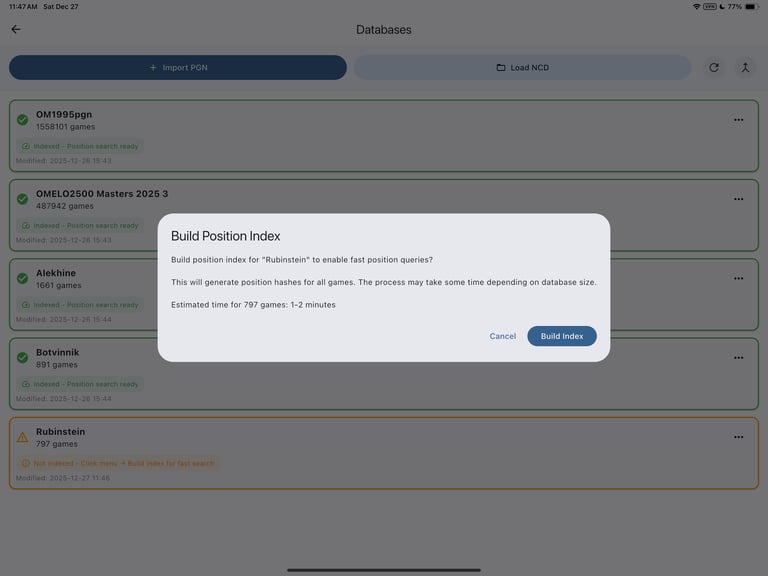
Once the import is complete, a new yellow card will appear
Yellow means the database has been hashed but not indexed yet
Click the three dots on the right side of the card
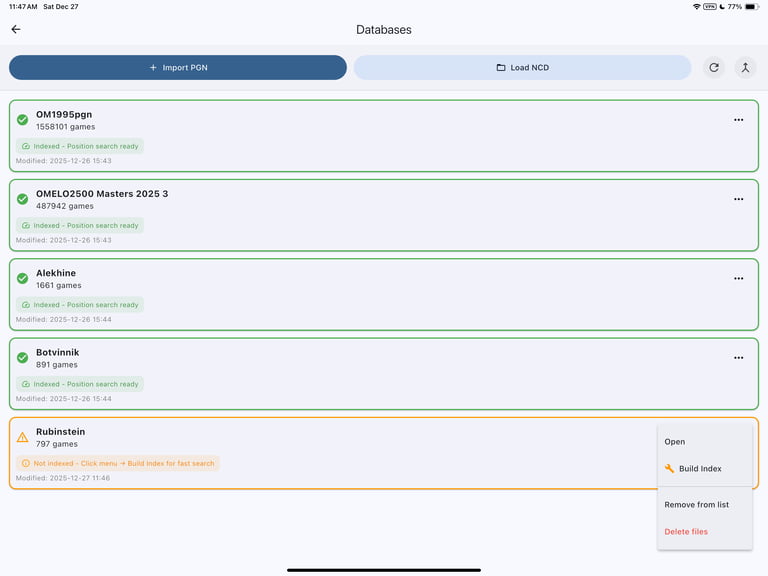
Select Build Index
That’s it.
Your chess database is now ready to be used for:
searching games
opening preparation
opponent analysis
training and study
Important Note About Database Size
Be aware of the following limitations:
Mac and Desktop versions of Chesspertise
Can import very large databases (up to 10 million games)
iPad version of Chesspertise
Importing very large PGN files is time-consuming
Recommended database size: 500,000 to 1.5 million games
If you plan to work with very large databases, you should use Chesspertise on Mac or Desktop.
iPad and Android can use very large databases. e.g. 10M+ The limitation is in the import and is mainly due to the physical RAM memory of tablets.
We are currently working with database providers to allow easier access to large professional databases directly inside Chesspertise.
More updates on this soon.
Contact
info@chesspertise.app
© 2025. All rights reserved.
Chesspertise
Legal
Chesspertise
About